

Getting Started
30-second quickstart
npm install -g golembot
mkdir my-bot && cd my-bot
golembot onboard
Three commands. You'll be chatting with an AI agent in under a minute.
Prerequisites
- Node.js >= 18
- A Coding Agent CLI installed and authenticated:
- Cursor (
agentCLI) — runagent loginor setCURSOR_API_KEY - Claude Code (
claudeCLI) — runclaude auth loginor setANTHROPIC_API_KEY - OpenCode (
opencodeCLI) — set API key for your provider (e.g.ANTHROPIC_API_KEY) - Codex (
codexCLI) — runcodex loginor setCODEX_API_KEY
- Cursor (
The golembot onboard wizard will detect existing authentication and guide you through setup if needed. You can also run golembot doctor at any time to verify your configuration.
If you plan to route Codex through a custom provider, verify that the provider supports the OpenAI Responses API. Providers that only expose /chat/completions or Anthropic-style /messages endpoints will not work. See Provider Routing.
Install
npm install -g golembotOr with pnpm / yarn:
pnpm add -g golembot
# or
yarn global add golembot
Quick Start
Option A: Guided Setup (Recommended)
mkdir my-bot && cd my-bot
golembot onboard
The onboard wizard walks you through engine selection, authentication, naming, IM channel setup, and scenario template selection in 8 interactive steps. Use --template <name> to skip template selection (e.g., golembot onboard --template customer-support).
Option B: Manual Init
mkdir my-bot && cd my-bot
golembot init -e claude-code -n my-bot
This creates:
golem.yaml— assistant configurationskills/— skill directory with built-in skills (general+im-adapter)AGENTS.md— auto-generated context for the Coding Agent.golem/— internal state directory (gitignored)
Start a Conversation
golembot runThis opens an interactive REPL. Type your message and press Enter. The Coding Agent handles everything — reading files, running scripts, multi-step reasoning.
REPL commands:
/help— show available commands/status— show current engine, model, and skills/engine [name]— show or switch engine/model [list|name]— show, list available, or switch model/skill— list installed skills/cron— manage scheduled tasks (list, run, enable, disable, history)/stop— cancel the current running task/reset— clear the current session and history/quitor/exit— exit
Start the Gateway Service
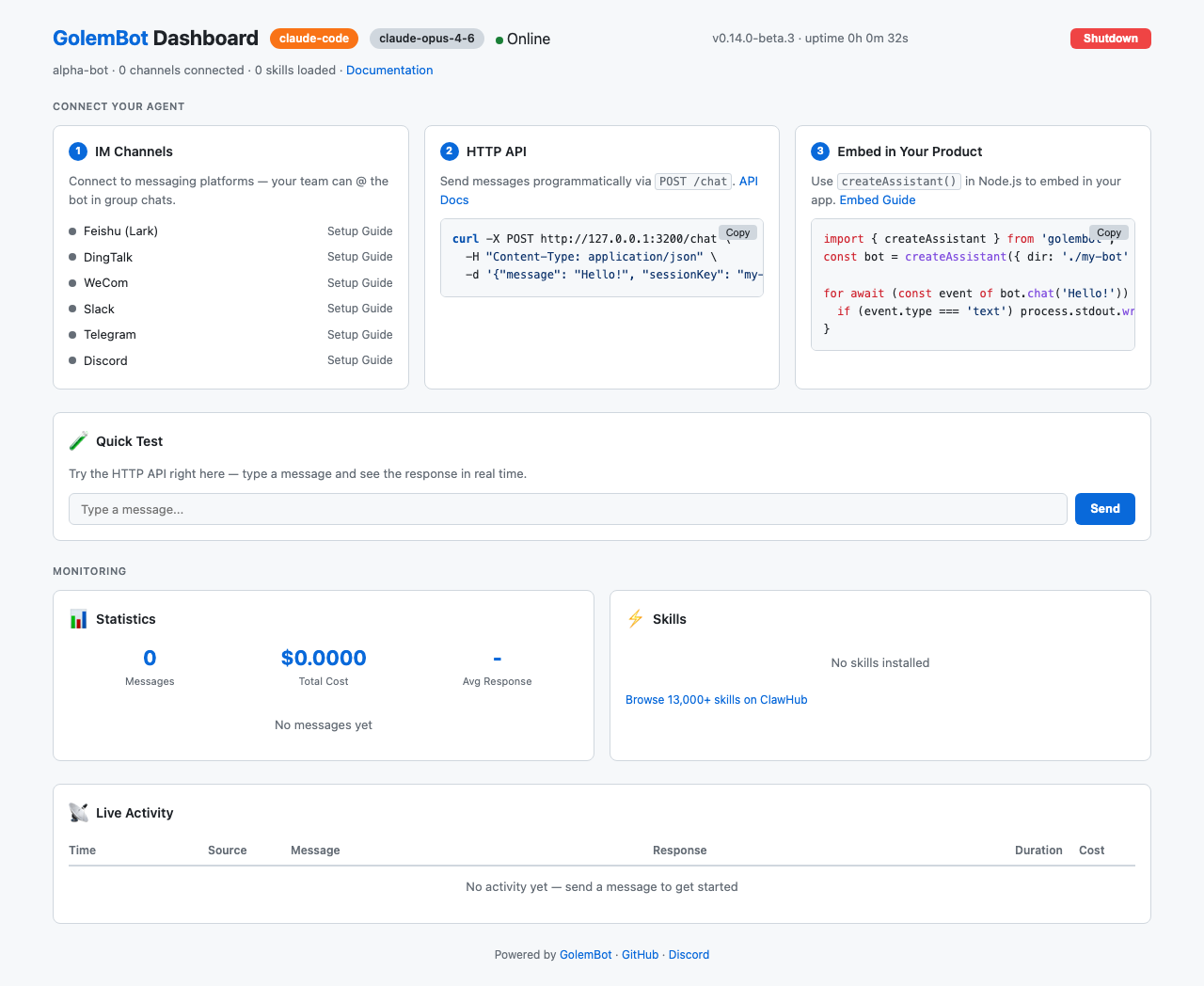
golembot gatewayThis starts an HTTP API, a web Dashboard (at http://localhost:3000/), and any configured IM channel adapters. The Dashboard shows real-time metrics, channel status, and lets you test the API directly from the browser.
To view all running bots at a glance:
golembot fleet ls          # list running bots (CLI)
golembot fleet serve       # start Fleet Dashboard (web, port 4000)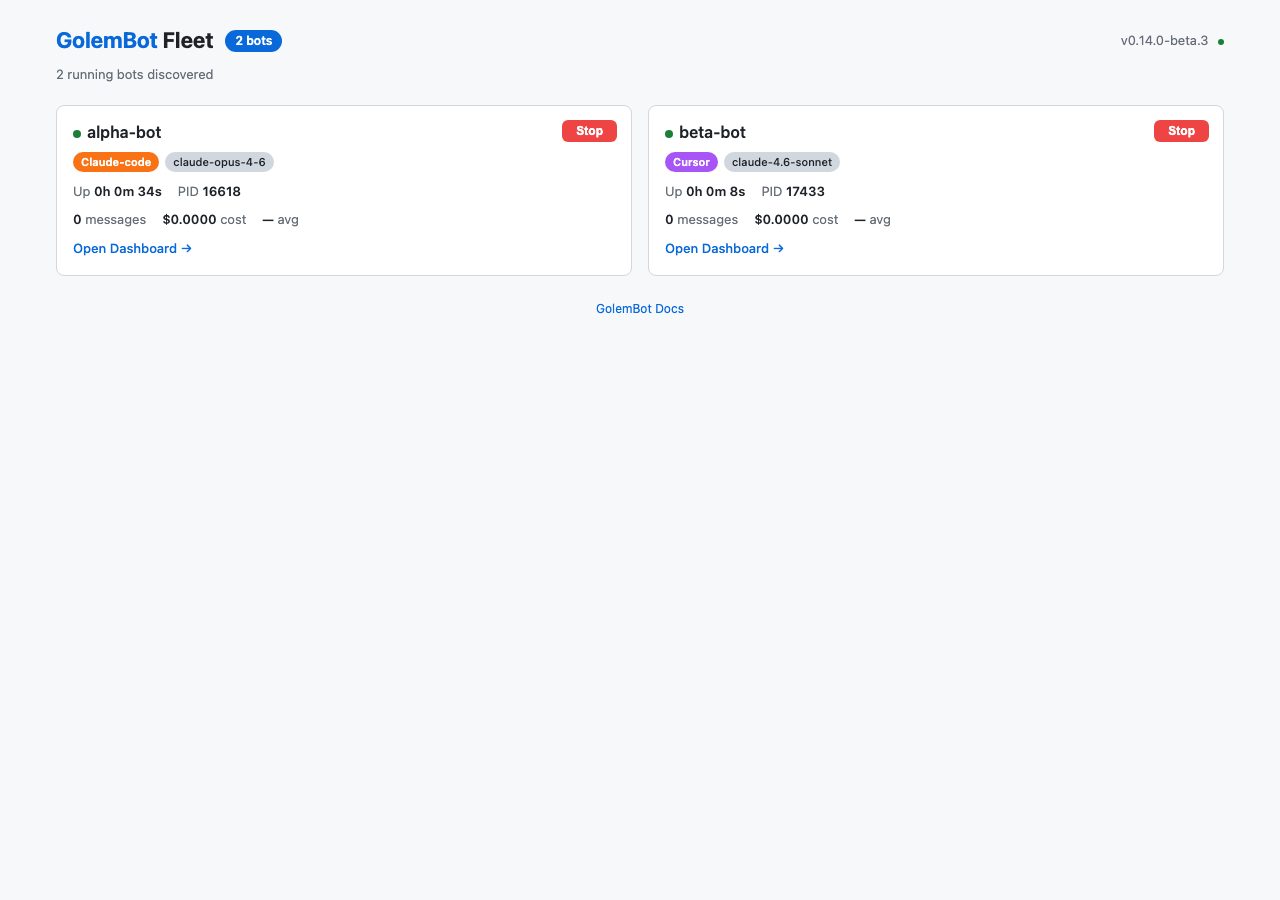
GolemBot supports the following IM platforms out of the box:
| Platform | Connection Mode |
|---|---|
| Feishu (Lark) | WebSocket (no public IP needed) |
| DingTalk | Stream mode (no public IP needed) |
| WeCom | WebSocket (no public IP needed) |
| Slack | Socket Mode (no public IP needed) |
| Telegram | Polling (no public IP needed) |
| Discord | Gateway API (no public IP needed) |
See Channels Overview for setup instructions.
Which Approach Is Right for You?
| Scenario | Approach | Command / Entry Point |
|---|---|---|
| Try it out, personal use | CLI REPL | golembot run |
| Connect to IM (Feishu, Slack, Telegram...) | Gateway | golembot gateway |
| Embed in your Node.js app | Library | createAssistant() |
| Expose API for frontend / external services | HTTP API | Gateway + POST /chat |
Use as a Library
GolemBot's core is an importable TypeScript library:
import { createAssistant } from 'golembot';

const assistant = createAssistant({ dir: './my-bot' });

for await (const event of assistant.chat('Analyze the sales data')) {
  if (event.type === 'text') process.stdout.write(event.content);
}
This pattern works for embedding into Slack bots, internal tools, SaaS products, or any Node.js application. See the Embed in Your Product guide for Express, Next.js, background job, and Slack examples.
What's Next
- Configuration — understand
golem.yamland${ENV_VAR}placeholders - Group Chat — response policies, @mention, quote reply, group memory
- Inbox & History Fetch — crash-safe queue, offline message catch-up
- Engines — compare Cursor, Claude Code, OpenCode, and Codex
- Embed in Your Product — library integration patterns (Express, Next.js, queues)