

快速开始
30 秒快速体验
bash
npm install -g golembot
mkdir my-bot && cd my-bot
golembot onboard
三条命令,一分钟内开始和 AI Agent 对话。
前置条件
- Node.js >= 18
- 安装一个 Coding Agent CLI 并完成鉴权:
- Cursor(
agentCLI)— 运行agent login或设置CURSOR_API_KEY - Claude Code(
claudeCLI)— 运行claude auth login或设置ANTHROPIC_API_KEY - OpenCode(
opencodeCLI)— 设置对应 Provider 的 API Key(如ANTHROPIC_API_KEY) - Codex(
codexCLI)— 运行codex login或设置CODEX_API_KEY
- Cursor(
golembot onboard 向导会自动检测已有鉴权,未鉴权时引导你完成配置。也可以随时运行 golembot doctor 检查配置状态。
如果你准备把 Codex 路由到自定义 provider,先确认这个 Provider 支持 OpenAI Responses API。只支持 /chat/completions 或 Anthropic 风格 /messages 的端点不能和 Codex 配合。详见 Provider 路由。
安装
bash
npm install -g golembot或使用 pnpm / yarn:
bash
pnpm add -g golembot
# 或
yarn global add golembot
快速上手
方式 A:引导式设置(推荐)
bash
mkdir my-bot && cd my-bot
golembot onboard
引导向导会带你完成引擎选择、鉴权、命名、IM 通道配置和场景模板选择,共 8 个交互步骤。使用 --template <name> 可跳过模板选择(如 golembot onboard --template customer-support)。
方式 B:手动初始化
bash
mkdir my-bot && cd my-bot
golembot init -e claude-code -n my-bot
这会创建:
golem.yaml— 助手配置文件skills/— 技能目录,包含内置技能(general+im-adapter)AGENTS.md— 为 Coding Agent 自动生成的上下文文档.golem/— 内部状态目录(gitignore)
开始对话
bash
golembot run这会打开交互式 REPL。输入消息按回车即可。Coding Agent 负责一切 — 读写文件、运行脚本、多步推理。
REPL 命令:
/help— 显示可用命令/status— 显示当前引擎、模型和技能/engine [name]— 查看或切换引擎/model [list|name]— 查看、列出可用模型或切换模型/skill— 列出已安装技能/cron— 管理定时任务(列表、运行、启用、禁用、历史)/stop— 中断当前正在执行的任务/reset— 清除当前会话和历史/quit或/exit— 退出
启动 Gateway 服务
bash
golembot gateway这会启动 HTTP API、Web Dashboard(http://localhost:3000/)以及已配置的 IM 通道适配器。Dashboard 显示实时指标、通道状态,并可直接在浏览器中测试 API。
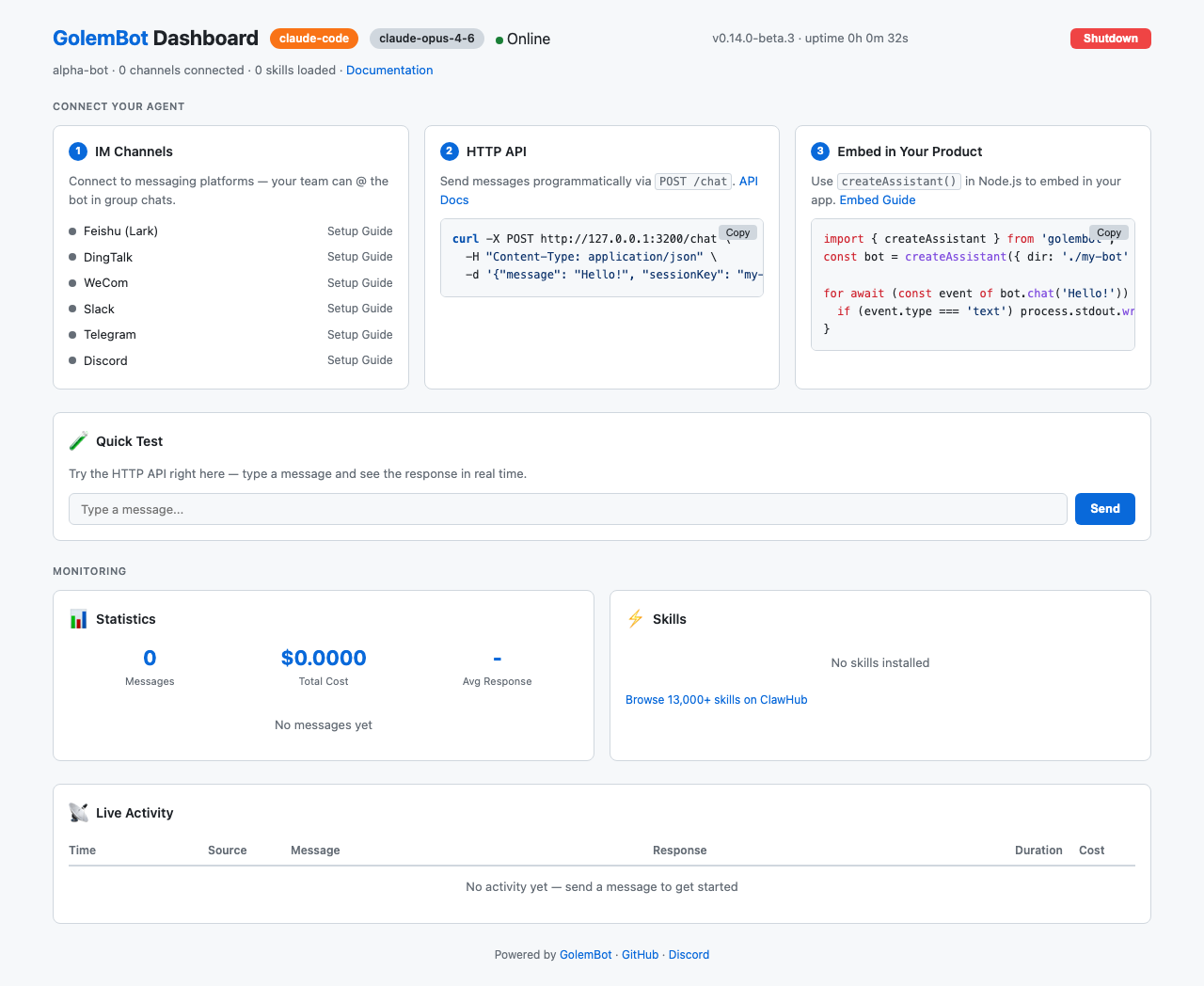
查看所有运行中的 bot:
bash
golembot fleet ls          # 列出运行中的 bot(CLI)
golembot fleet serve       # 启动 Fleet Dashboard(Web,端口 4000)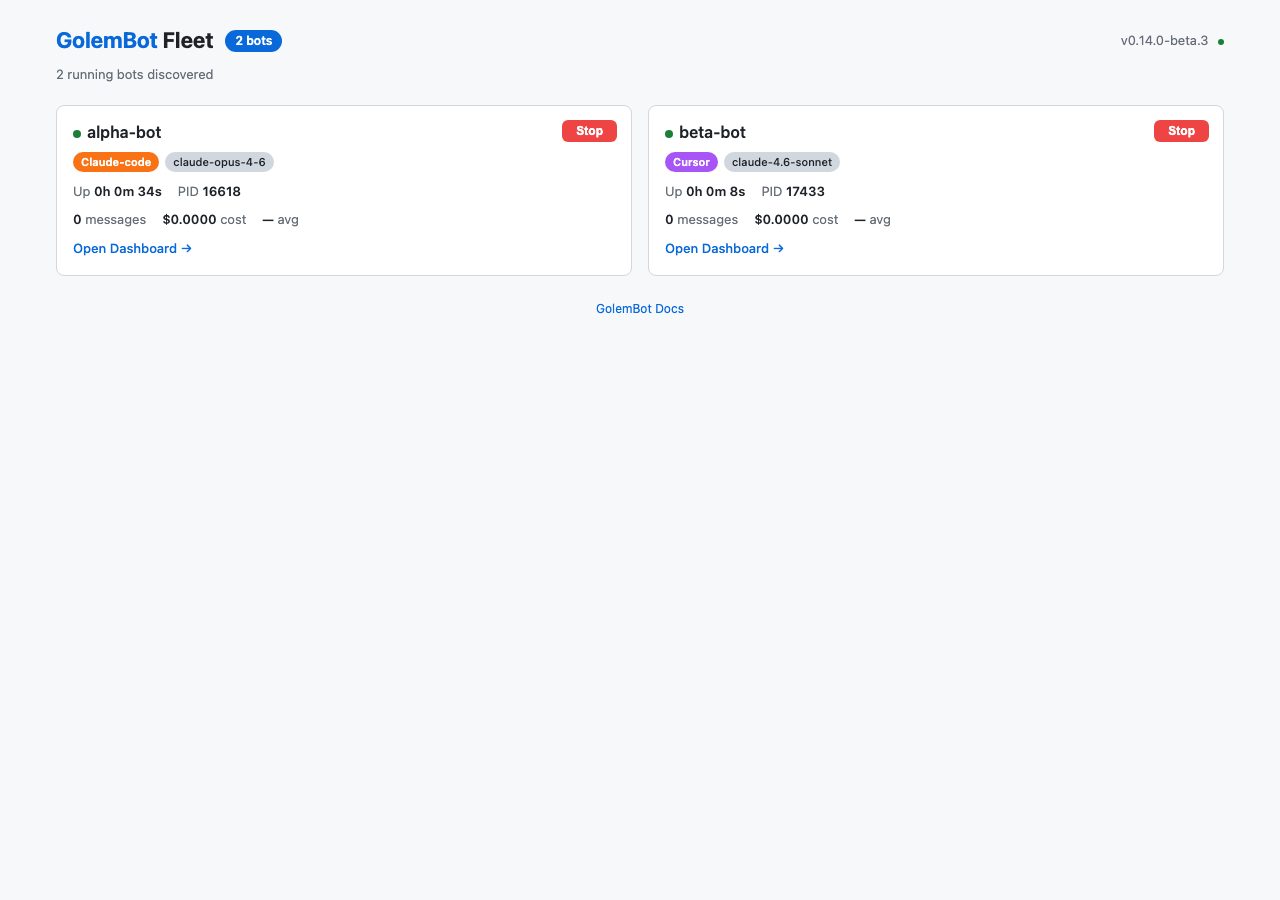
GolemBot 内置支持以下 IM 平台:
| 平台 | 连接方式 |
|---|---|
| 飞书(Lark) | WebSocket 长连接(无需公网 IP) |
| 钉钉 | Stream 模式(无需公网 IP) |
| 企业微信 | WebSocket 模式(无需公网 IP) |
| Slack | Socket Mode(无需公网 IP) |
| Telegram | 轮询模式(无需公网 IP) |
| Discord | Gateway API(无需公网 IP) |
IM 配置详见通道概览。
选择适合你的方式
| 场景 | 方式 | 命令 / 入口 |
|---|---|---|
| 试用、个人使用 | CLI 交互 | golembot run |
| 接入 IM(飞书、Slack、Telegram…) | Gateway 服务 | golembot gateway |
| 嵌入 Node.js 应用 | 库调用 | createAssistant() |
| 给前端 / 外部服务提供 API | HTTP API | Gateway + POST /chat |
作为库使用
GolemBot 的核心是一个可导入的 TypeScript 库:
typescript
import { createAssistant } from 'golembot';

const assistant = createAssistant({ dir: './my-bot' });

for await (const event of assistant.chat('分析销售数据')) {
  if (event.type === 'text') process.stdout.write(event.content);
}
这种模式适用于嵌入 Slack 机器人、内部工具、SaaS 产品或任何 Node.js 应用。Express、Next.js、后台任务等完整示例见嵌入到你的产品指南。